Resume Pro2.0
Publisher Description
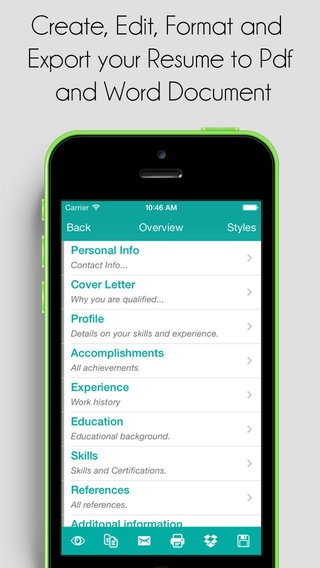
"The only resume app that lets you use OCR to copy all text from your paper resume and quickly import all your data to a better design resume."
Easily create and send a professional resume from your iPhone, iPad and iPod! Resume Pro allows you to create, Edit, email and backup your resume as PDF or DOC format with the best design templates. More importantly Sync your iPhone with your iPad in order to use same data.
Resume Pro contains 20+ possible templates resulted from the combination of 5 basic colours and 6 different Font Family and Font size and different styles which gives you the ability to customize your Resume with ease.
FEATURES:
* Fully revamped for iOS 8.
* Quickly import your text from your paper Resume by using the new OCR feature.
* Easily create a new resume based on your LinkedIn profile or create a new one from scratch.
* Or just fill out the forms and preview your new created resume.
* Customise your resume by choosing header style and fonts.
* Create variations on your resume for different jobs or job types by using Duplicate button.
* Add photo to make your resume more appealing.
* Export to PDF using multiple style options.
* Export as Word document to edit your resume on your computer using MS Word or similar.
* Send your resume directly using the native email on your iOS device.
* Upload your resume to a DropBox account.
* Rearrange and rename sections to suit your needs,
* Backup and Sync data with all your devices.
Very Important: Please email us directly in the App, WE CANNOT REPLY ON REVIEW page of iTunes App Store.
Requires iOS 5.0 or later. Compatible with iPhone, iPad, and iPod touch.
About Resume Pro
The company that develops Resume Pro is iCubemedia Inc.. The latest version released by its developer is 2.0.
To install Resume Pro on your iOS device, just click the green Continue To App button above to start the installation process. The app is listed on our website since 2013-09-12 and was downloaded 11 times. We have already checked if the download link is safe, however for your own protection we recommend that you scan the downloaded app with your antivirus. Your antivirus may detect the Resume Pro as malware if the download link is broken.
How to install Resume Pro on your iOS device:
- Click on the Continue To App button on our website. This will redirect you to the App Store.
- Once the Resume Pro is shown in the iTunes listing of your iOS device, you can start its download and installation. Tap on the GET button to the right of the app to start downloading it.
- If you are not logged-in the iOS appstore app, you'll be prompted for your your Apple ID and/or password.
- After Resume Pro is downloaded, you'll see an INSTALL button to the right. Tap on it to start the actual installation of the iOS app.
- Once installation is finished you can tap on the OPEN button to start it. Its icon will also be added to your device home screen.
